
Cloud tools were supposed to make business easier.
And in many ways, they have.
Small businesses now use Microsoft 365, cloud backups, cybersecurity tools, CRM systems, accounting platforms, project management apps, AI assistants, file sharing tools, phone systems, marketing platforms, and industry-specific software to run daily operations.
That flexibility is powerful.
But there is a problem many business owners do not see until the monthly bills start piling up.
Your cloud budget may be leaking.
Not because one tool is too expensive. Not because your business is doing anything wrong. The real issue is usually cloud sprawl. This happens when cloud services, SaaS subscriptions, user licenses, AI tools, storage plans, and backup systems grow over time without a clear owner, review process, or business purpose.
That is where FinOps for SMBs comes in.
FinOps, short for Financial Operations, is a practical approach to managing technology spending. The FinOps Foundation defines FinOps as an operational framework and cultural practice that helps maximize the business value of technology, improve data-driven decisions, and create financial accountability across teams.
For small and midsize businesses, FinOps does not need to be complicated. You do not need an enterprise finance team or a large IT department. You need visibility, ownership, and a repeatable process for finding waste before it drains your budget.
At Zevonix, we see this problem often. A business starts with a few tools. Then a new department adds another app. A former employee’s license remains active. Someone signs up for an AI subscription. Another team keeps using an older platform because nobody officially retired it. Before long, the company is paying for overlapping tools, unused accounts, forgotten cloud storage, and subscriptions that no longer support the business.
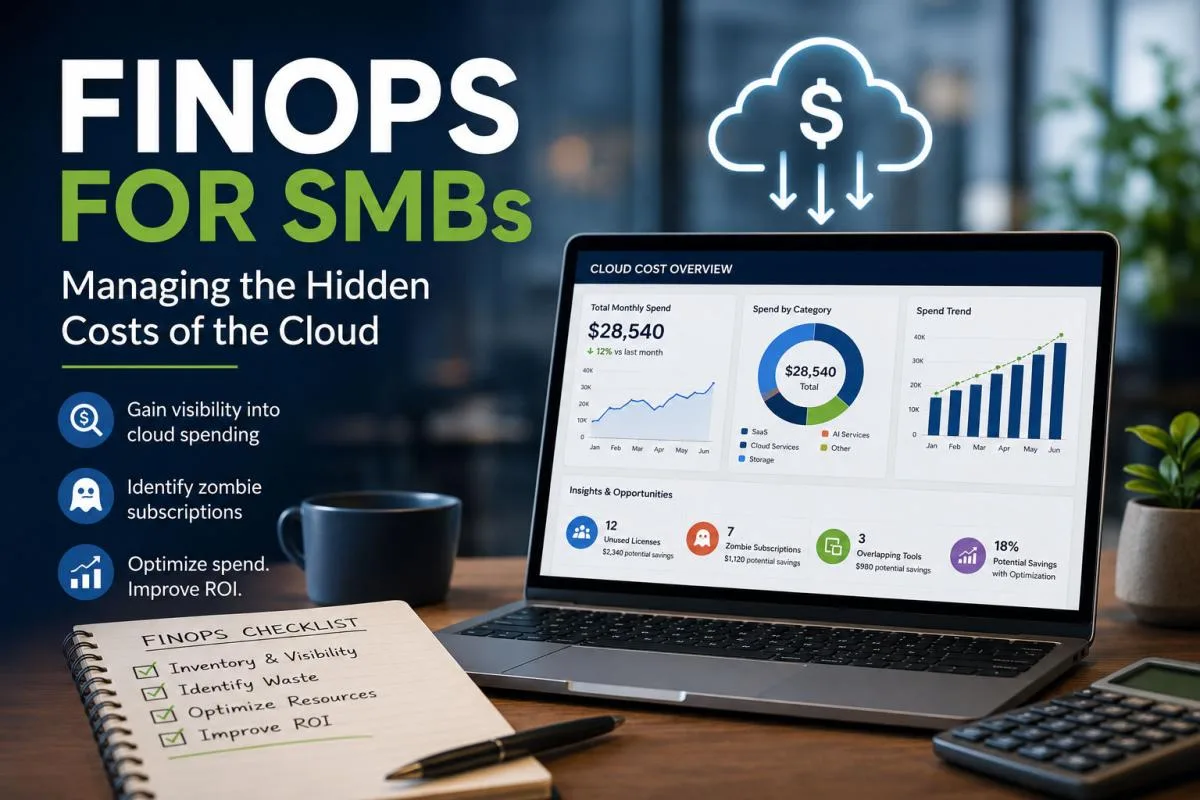
This article explains how FinOps for SMBs helps business owners identify hidden cloud costs, eliminate “zombie” subscriptions, and reclaim IT ROI without sacrificing performance.
FinOps for SMBs: 3 Steps to Stop Cloud Budget Leaks – Table of Contents
What Is FinOps for SMBs?
FinOps for SMBs is the process of managing cloud, SaaS, and technology spending with the same discipline you use for payroll, rent, insurance, and other business expenses.
It helps answer simple but important questions:
- Who owns this tool?
- Who uses it?
- What does it cost?
- Is it still needed?
- Is there a better option?
- Are we paying for users, storage, features, or services we no longer use?
For larger organizations, FinOps often focuses heavily on public cloud platforms like Microsoft Azure, Amazon Web Services, and Google Cloud. For SMBs, the bigger issue is often a mix of SaaS subscriptions, Microsoft 365 licenses, backup tools, cybersecurity platforms, cloud storage, AI tools, and line-of-business applications.
Microsoft describes FinOps as a discipline that combines financial management with cloud engineering and operations to help organizations better understand and manage cloud spending. Microsoft also notes that the goal is not simply to save money, but to maximize business value from cloud investments.
That distinction matters. FinOps is not about cutting every tool. It is about making sure every dollar has a job.
Why Cloud Costs Are Getting Harder to Control
The cloud has changed how small businesses buy technology.
In the past, a business might buy a server, install software, and pay for upgrades every few years. Today, technology spending is spread across monthly subscriptions, per-user licensing, cloud storage, usage-based billing, AI credits, add-ons, support tiers, and vendor renewals.
That makes cloud costs harder to track.
A $20 monthly app may not seem like a big deal. But if 15 employees have unused licenses across five platforms, the waste adds up quickly. A business may also pay for two tools that do nearly the same thing, such as multiple file-sharing platforms, duplicate project management apps, overlapping cybersecurity tools, or unused communication platforms.
Cloud waste is not just an enterprise problem. Flexera’s 2025 State of the Cloud reporting found that 84% of organizations considered managing cloud spend their top cloud challenge. Flexera’s State of the Cloud material also reported that estimated wasted cloud spend reached 29%.
For SMBs, the numbers may look smaller, but the impact can be just as painful.
A large company may waste thousands or millions of dollars and still absorb the cost. A small business wasting a few hundred or a few thousand dollars per month may feel it directly in cash flow, hiring, security upgrades, marketing, or growth plans.
The Rise of AI Makes FinOps Even More Important
AI tools are creating another layer of cloud cost confusion.
Many businesses are testing AI writing tools, meeting assistants, workflow automation platforms, chatbots, analytics tools, and AI features built into existing software. Some are helpful. Some are not. Some are used daily. Others are tried once and forgotten.
The 2026 State of FinOps report notes that AI cost management has become a major priority, with 98% of FinOps teams now managing AI spend, up from 31% two years earlier.
That trend matters for SMBs because AI spending can grow quietly. Many AI tools are billed per user, per usage level, per token, per automation, or per feature bundle. Without oversight, businesses may pay for AI features that are exciting but not actually improving productivity, customer service, sales, or operations.
This does not mean SMBs should avoid AI. It means AI spending should be reviewed like any other technology investment. The right question is not, “Are we using AI?” The better question is, “Is this AI tool producing measurable business value?”
What Are Zombie Cloud Subscriptions?
Zombie cloud subscriptions are tools, services, or licenses that are still active but no longer useful.
They are not always obvious. They may hide inside credit card statements, vendor portals, app stores, old admin accounts, browser extensions, cloud dashboards, or auto-renewing contracts.
Common examples include:
- A former employee’s Microsoft 365, CRM, phone, or project management license that was never removed.
- A SaaS platform that a department tested but never officially adopted.
- A duplicate tool that does the same thing as another system already in use.
- A cloud backup plan for a device or server that no longer exists.
- Extra storage that nobody reviewed after old files were archived.
- An AI subscription used by one employee once or twice and then forgotten.
- A premium plan that includes features the business does not need.
- A vendor renewal that continued because nobody owned the cancellation process.
Zombie subscriptions are dangerous because they do not usually break anything. They just keep billing. That makes them easy to ignore. But over time, they quietly reduce IT ROI.
Why SMBs Struggle With Cloud Sprawl
Cloud sprawl usually starts with good intentions.
Someone needs a faster way to communicate with customers. Someone else needs a tool for scheduling. A manager signs up for a project app. A vendor recommends a portal. An employee adds an AI tool to speed up content creation. A department buys software with a company card because waiting for approval feels too slow.
None of these actions are automatically bad. The problem is what happens next.
No one documents the tool. No one assigns ownership. No one reviews usage. No one checks if it overlaps with an existing system. No one tracks renewal dates. No one confirms if users still need access.
That is how a business ends up paying for technology it cannot clearly explain.
For SMBs, this can happen faster than expected because many smaller companies do not have a formal IT procurement process. They may rely on a business owner, office manager, vendor, internal power user, or outside IT provider to keep things organized.
That works for a while. Then the tool stack grows.
Eventually, nobody has a clean view of what the business owns, what it uses, what it pays for, and what creates real value.
Is Your Cloud Budget Leaking? 3 Steps to Reclaim Your IT ROI
Here is the simple FinOps for SMBs framework Zevonix recommends.
Step 1: Build a Complete Cloud and SaaS Inventory
You cannot control what you cannot see.
The first step is to create a full inventory of your cloud services, SaaS subscriptions, user licenses, AI tools, backup platforms, cybersecurity tools, domains, hosting accounts, phone systems, storage platforms, and business applications.
Do not rely only on memory.
Review:
- Company credit cards
- Bank statements
- Microsoft 365 admin center
- Google Workspace admin console
- Cloud hosting accounts
- Cybersecurity portals
- Backup dashboards
- CRM and accounting software
- Password manager entries
- Browser-saved subscriptions
- Vendor invoices
- App marketplaces
- Employee expense reports
- Your goal is to create one master list.
For each tool, document:
- Tool name
- Vendor
- Monthly or annual cost
- Number of users
- Business owner
- Admin owner
- Renewal date
- Payment method
- Primary business purpose
- Whether it stores sensitive data
- Whether MFA is enabled
- Whether former employees still have access
This inventory often reveals waste quickly. Many businesses find tools they forgot existed, licenses assigned to former employees, duplicate subscriptions, or vendors billing for services that no longer match the company’s needs.
This is also a security improvement. If you do not know which cloud tools your business uses, you also do not know where your data lives.
Step 2: Identify Zombie Subscriptions and Overlapping Tools
Once you have your inventory, the next step is to classify each tool.
Use four simple categories:
Keep: The tool is active, necessary, secure, and valuable.
Review: The tool may be useful, but cost, usage, ownership, or security needs to be evaluated.
Consolidate: The tool overlaps with another platform and may be replaced.
Remove: The tool is unused, unnecessary, risky, or no longer worth the cost.
This is where the real savings begin.
Look for tools with low login activity, inactive users, duplicate features, unclear ownership, or no measurable business outcome.
For example, your company may be paying for one tool for file storage, another for collaboration, another for document signing, another for task management, and another for client communication. Some of those tools may be necessary. Others may duplicate features already included in Microsoft 365 or another platform you already pay for.
The same applies to AI tools.
If three employees are using three different AI subscriptions for similar tasks, you may need a standard approved platform instead of scattered individual accounts.
This is not just about saving money. It is about reducing confusion.
Every extra tool creates more passwords, more data locations, more renewal dates, more security settings, and more administrative overhead.
Step 3: Create a Monthly Cloud Spend Review Process
FinOps for SMBs works best when it becomes a routine, not a one-time cleanup.
A business should review cloud and SaaS spending every month or at least every quarter.
This review does not need to be complicated. A simple meeting between leadership, finance, and IT can prevent a lot of waste.
Ask these questions:
- Did we add any new tools this month?
- Did any employees leave or change roles?
- Are there licenses that should be removed?
- Are any renewals coming up in the next 60 to 90 days?
- Are we paying for features we do not use?
- Are any tools creating security or compliance risk?
- Can we consolidate platforms?
- Is the tool helping revenue, productivity, security, or customer service?
- Should this remain approved?
A good monthly review helps your business catch waste before it becomes normal.
It also creates accountability. Every cloud service should have an owner. If nobody owns it, nobody is managing the cost, security, or business value.
The Hidden Security Risk of Cloud Sprawl
Cloud waste is not only a financial problem. It is also a cybersecurity problem.
Every unused cloud app is another place where company data may live. Every old user account is another possible entry point. Every unmanaged subscription is another system that may not have MFA, password controls, backups, logging, or proper offboarding.
For industries like healthcare, legal, accounting, finance, construction, and professional services, this matters even more. Sensitive client data may be stored across more platforms than leadership realizes.
When a business has cloud sprawl, it becomes harder to answer important security questions:
- Where is our data?
- Who has access?
- Are former employees fully removed?
- Is MFA enabled?
- Are files being shared externally?
- Are vendors following security best practices?
- Are backups active?
- Are we meeting compliance expectations?
This is why Zevonix views FinOps as part of smarter IT management, not just cost cutting. A clean cloud environment is usually easier to secure.
FinOps for SMBs and Microsoft 365
Microsoft 365 is one of the most common places where SMBs can improve cloud spend visibility.
Many businesses pay for Microsoft 365 licenses without regularly reviewing which users have which plans. Some employees may need Business Premium. Others may only need basic email or limited access. Former employees may still have active mailboxes or licenses. Shared mailboxes may be incorrectly licensed. Add-ons may remain active after a project ends.
Microsoft 365 review can uncover:
- Unused licenses
- Former employee accounts
- Duplicate mailboxes
- Unneeded add-ons
- Users on the wrong license type
- Security features that are paid for but not configured
- External sharing risks
- Missing MFA enforcement
- Underused tools already included in the plan
This is important because cost optimization should never weaken security.
For example, Microsoft 365 Business Premium includes valuable security features, but those features need to be configured properly. Cutting licenses without understanding the security impact can create risk. The smarter approach is to right-size licensing while protecting identity, data, email, and devices.
That is the difference between random cost cutting and FinOps.
FinOps for SMBs and AI Tools
AI tools can be valuable for small businesses, especially when used for content creation, customer support, documentation, reporting, automation, and internal productivity.
But AI tools need governance.
Without a clear process, employees may enter sensitive business, client, financial, or healthcare-related information into tools that are not approved. The company may also end up paying for multiple AI platforms with overlapping features.
practical AI FinOps review should ask:
- Which AI tools are approved?
- Who is paying for them?
- What business function do they support?
- Are employees entering sensitive data?
- Are the tools covered by company policy?
- Are they improving productivity?
- Are they creating measurable value?
- Can we standardize on fewer tools?
- Do we need training so employees use them safely?
AI is not free just because it is easy to start. Every AI tool should have a business purpose, a cost owner, and a security review.
How Cloud Cost Optimization Improves IT ROI
IT ROI is not just about spending less. It is about getting more value from what you already pay for.
A business may discover that it does not need ten separate tools. It may already own features inside Microsoft 365, its CRM, its phone system, or its project management platform. It may be able to consolidate vendors, reduce unused licenses, and improve security at the same time.

Cloud cost optimization can help SMBs:
- Reduce wasted monthly spending
- Improve cash flow
- Simplify vendor management
- Reduce security risk
- Improve employee productivity
- Strengthen compliance readiness
- Make budgeting more predictable
- Improve decision-making
- Get more value from existing tools
- Create a cleaner IT environment
That is the real goal of FinOps for SMBs. It is not about being cheap. It is about being intentional.
Warning Signs Your Business Needs a Cloud Spend Review
Your business may need a FinOps review if any of these sound familiar:
- You are not sure how many SaaS tools your business pays for.
- Employees use different apps for the same task.
- Former employees may still have active accounts.
- Nobody tracks software renewal dates.
- Cloud bills keep increasing, but you are not sure why.
- AI subscriptions have been added without a formal review.
- You do not know which tools store sensitive data.
- Your Microsoft 365 licensing has not been reviewed in the last year.
- Different departments buy tools without IT approval.
- You are paying for premium features that nobody uses.
- You do not have a complete list of vendors.
Your business owner, finance team, and IT provider all have different answers about what is being used. If you checked more than a few of these, your cloud budget may already be leaking.
A Simple SMB Cloud Cost Checklist
Use this checklist to begin your FinOps review:
- Create a list of every cloud and SaaS tool.
- Match every subscription to a business owner.
- Review all active users.
- Remove former employees.
- Check for duplicate tools.
- Review Microsoft 365 licenses.
- Review AI subscriptions.
- Review backup and storage usage.
- Confirm MFA is enabled on key platforms.
- Identify upcoming renewals.
- Cancel unused tools before auto-renewal.
- Consolidate where possible.
- Document approved tools.
- Create a monthly or quarterly review process.
This process does not need to be overwhelming. The first review is usually the hardest because the business is building visibility from scratch. After that, maintenance becomes much easier.
How Zevonix Helps SMBs With FinOps and Cloud Cost Management
Zevonix helps small and midsize businesses bring order, security, and strategy to their technology environment.
Our approach is not to randomly cut tools or chase the cheapest option. We help businesses understand what they have, what they use, what they need, and what creates value.
Through our Pathway to Smarter IT, Zevonix helps businesses with:
- Cloud and SaaS inventory reviews
- Microsoft 365 license optimization
- Cybersecurity and access reviews
- Vendor and subscription visibility
- AI tool governance
- Backup and storage review
- User account cleanup
- Cloud security improvements
- IT budgeting guidance
- Ongoing technology planning
We help business owners make smarter decisions by connecting cost, security, operations, and growth. That is the heart of FinOps for SMBs.
Stop Letting Cloud Waste Become Normal
Cloud tools can help small businesses move faster, serve customers better, and compete with larger companies. But unmanaged cloud spending can quietly drain your budget. The danger is not always one large bill. It is the slow buildup of unused licenses, duplicate tools, forgotten subscriptions, unmanaged AI apps, and cloud services that no longer support the business. FinOps for SMBs gives business owners a practical way to regain control.
Start with visibility. Find the zombie subscriptions. Review your tools regularly. Keep what creates value. Remove what does not. Secure what remains.
Your cloud budget should support your business, not quietly leak in the background.
If your business is ready to review cloud spending, clean up subscriptions, and reclaim IT ROI, Zevonix can help.
Contact Zevonix today and start your Pathway to Smarter IT.
📞 Call us at 904.658.0777
🔒 Book Your meeting with Zevonix »
Frequently Asked Questions
What is FinOps for SMBs?
FinOps for SMBs is a practical way for small and midsize businesses to manage cloud, SaaS, AI, and technology spending. It helps businesses improve visibility, reduce waste, assign ownership, and get more value from IT investments.
Why is cloud spending hard for small businesses to control?
Cloud spending is hard to control because many tools are billed monthly, added by different users, and renewed automatically. Without a central review process, businesses can quickly lose track of subscriptions, licenses, storage, and AI tools.
What is a zombie subscription?
A zombie subscription is a cloud service, SaaS tool, AI platform, or user license that is still billing but no longer provides value. These often include former employee accounts, unused apps, duplicate tools, and forgotten trial subscriptions.
Can FinOps reduce cybersecurity risk?
Yes. FinOps can reduce cybersecurity risk by helping businesses identify unmanaged tools, old user accounts, unknown data locations, and platforms without proper security settings. A cleaner cloud environment is easier to secure.
How often should a small business review cloud spending?
Small businesses should review cloud and SaaS spending monthly or quarterly. At minimum, every business should perform a full cloud spend review before major renewals and after employee changes.
Does FinOps mean cutting important tools?
No. FinOps is not about cutting tools blindly. It is about making sure every tool has a clear purpose, owner, cost, and business value. The goal is better ROI, not weaker performance.
Stay Informed
Want smarter insights without the noise? Get our latest ideas and strategies delivered right to your inbox.
We respect your privacy. Unsubscribe at any time.